Short answer: start from your take-home pay, take out your needs, the minimum on every debt, your wants and any savings, and what is left is the extra you can put toward debt each month. Paid every two weeks? That is 26 paychecks a year, so one paycheck times 26 divided by 12, not times 2. Type your numbers below; the calculator shows the extra, where your money goes and what it does to your debt.
Find the extra you can put toward debt
Use what you really spend in a typical month (your bank and card statements are the honest source). Leave a box empty if it does not apply. Results update as you type.
An estimate from the monthly amounts you type in: it assumes every month looks the same and that each payment is entered in one box only.
Turn the extra into a debt-free date
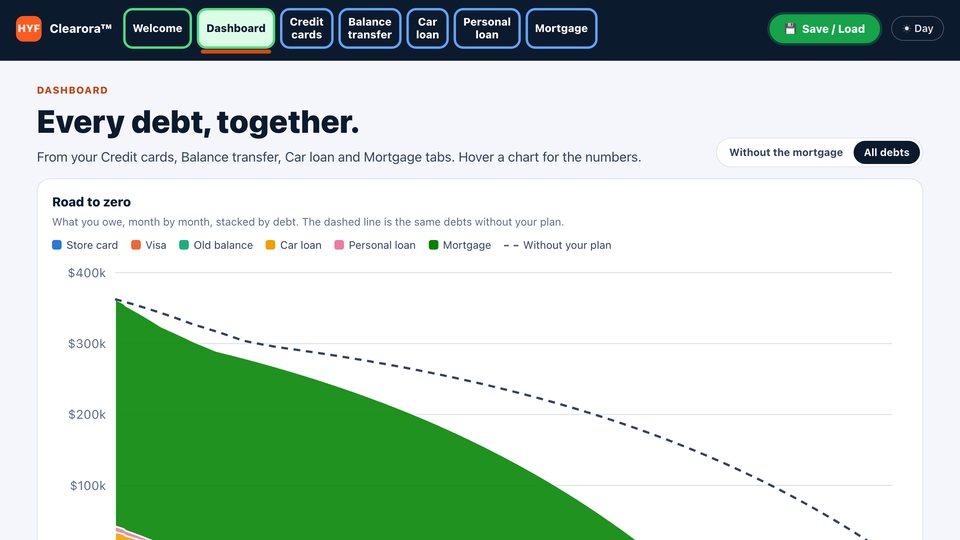
Once you know your extra, the Clearora™ Debt Payoff Dashboard puts it to work across every debt in one plan, shows the month each debt is paid off, and saves your plan to a file so you can load it again next month.
See how Clearora works →How the budget calculator works
Every payoff calculator on this site asks the same first question: how much extra can you pay each month? This page answers it. It turns your paycheck into a monthly amount, subtracts four groups of spending and shows what is left.
- Money in: take-home pay, after taxes and deductions, because that is what you can actually spend. A paycheck every week is 52 a year, every two weeks is 26, twice a month is 24. The calculator multiplies one paycheck by that number and divides by 12. Two-week pay is the one that trips people up: $1,500 every two weeks is $3,250 a month, not $3,000, because 26 paychecks do not fit in 24 half months: two months a year usually bring a third paycheck.
- Needs: the bills that keep a roof over your head, the lights on, food on the table and you getting to work. Bills that come once or twice a year, such as car registration, insurance paid yearly or school costs, count too: divide the yearly cost by 12 and add it to the matching box.
- Minimum debt payments: the total of every minimum due on cards, car loans, student loans and other loans. These come before any extra, because a missed payment brings late fees and can raise the rate on a card. Enter each payment once: a mortgage or rent goes under needs, a car loan payment here and not under transportation, or the calculator counts it twice.
- Wants and savings: everything else you choose to spend, and anything you set aside.
What is left over is your extra. If the number is negative, you are spending more than you take home, and the calculator says by how much. The bar shows each group as a share of your take-home pay, and the "cut my wants" slider shows what trimming them would free up.
A worked example
The calculator opens with $1,500 of take-home pay every two weeks: $3,250 a month. Needs add up to $2,050 (rent $1,200, utilities $150, groceries $400, transportation $200, insurance $100). Minimum debt payments are $300, wants $300 and savings $100. That is $2,750 in all, which leaves $500 a month.
Add that $500 to the $300 of minimums and $800 a month goes to debt, about 24.6 percent of take-home pay. Slide "cut my wants" to 50 percent and the extra becomes $650. Raise savings to $900 instead, and the budget comes out $300 short: the calculator tells you to close that gap before planning any extra.
What to do with the extra
The extra only helps if it goes to one debt at a time. Keep paying every minimum, put the whole extra on one debt, and when that debt is gone, add its payment to the next one. Which debt goes first is your choice:
- The debt snowball calculator orders your debts from the smallest balance up, for quick wins.
- The debt avalanche calculator orders them from the highest interest rate down, which usually costs less interest.
- The snowball vs avalanche calculator runs both with your extra and shows the difference in months and dollars.
With one card, the credit card payoff calculator shows how much sooner the extra clears it. If you would rather fill this in on paper, the free debt payoff worksheets include a monthly budget worksheet laid out the same way, with a debt list and snowball and avalanche sheets to go with it.
Finding more room in the budget
Wants are the easiest place to look, but they are often not the biggest. Some honest places to check:
- Subscriptions you forgot. Go through one month of card and bank statements line by line. The CFPB's free spending tracker is made for this.
- The big three needs. Housing, transportation and insurance are usually the largest lines. Shopping insurance quotes once a year or changing a phone plan is one phone call, and the saving repeats every month.
- Money that comes in now and then. A tax refund, a bonus or the third paycheck in a two-week pay month can go straight to the debt you are working on.
- The savings line. Do not cut it to zero. A small emergency fund keeps a surprise bill from going on a card and undoing your progress.
Budget and debt-to-income are different numbers
This calculator uses take-home pay, because it is about what you can spend. Lenders use gross pay, before taxes, for the debt-to-income ratio. If you are about to apply for a loan, the debt-to-income calculator shows the number they will see, and how much your payments would have to fall to reach a lower one.
Sources: Consumer Financial Protection Bureau, Your Money, Your Goals toolkit (spending tracker and cash flow budget tools; page updated April 24, 2026, read October 29, 2026). Pay periods per year (52, 26, 24, 12) are calendar arithmetic. The calculator's math is our own; results are estimates from the numbers you enter.